Order History is Here!
Cass Sapir
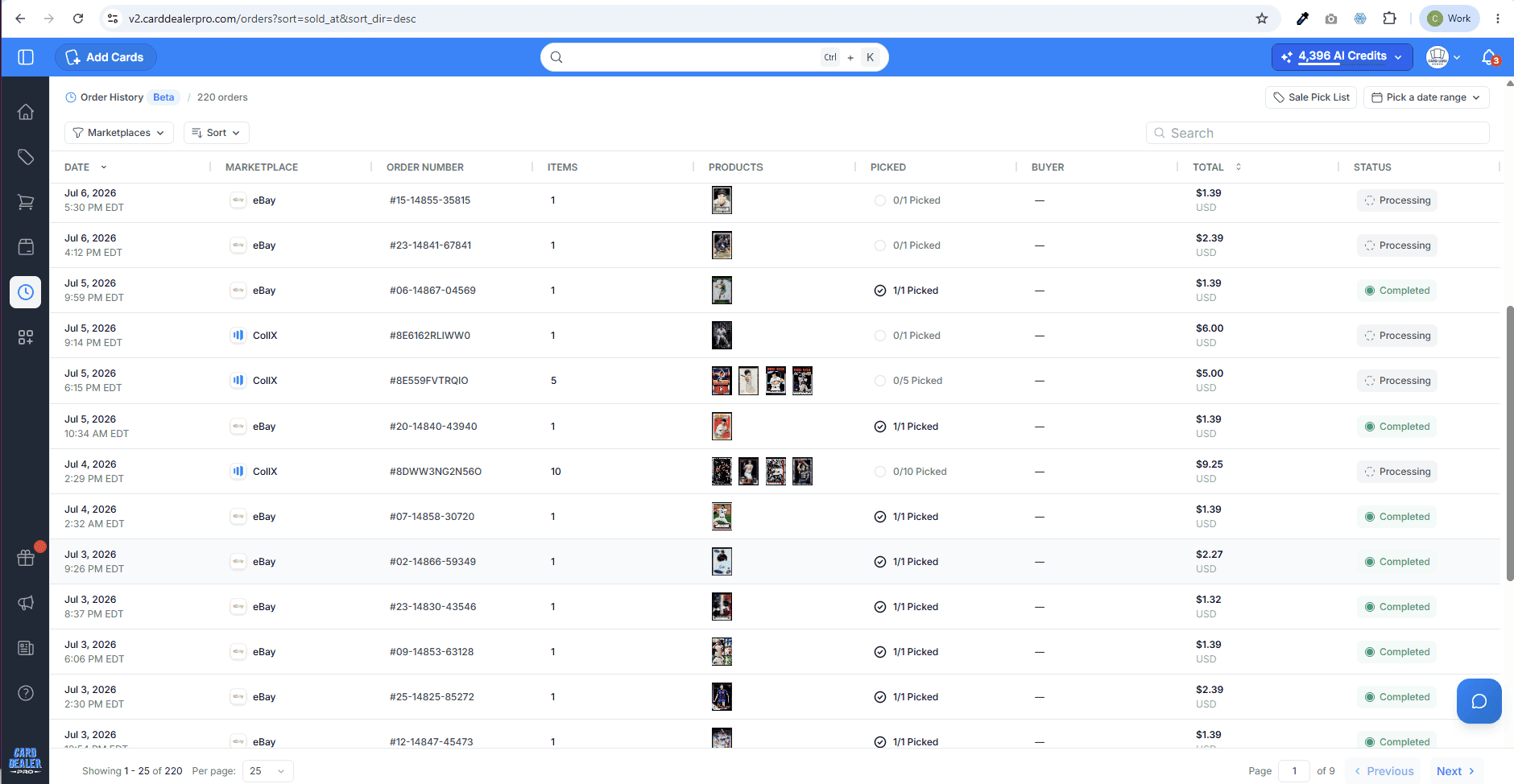
Orders gives sellers one central place to view recent sales across connected marketplaces, understand what sold, and connect each sale back to the inventory and fulfillment workflow in CDP.
See Every Sale in One Place with Orders in Card Dealer Pro
Selling cards across multiple marketplaces is powerful.
One order sells on eBay. Another comes through CollX. Another moves on Whatnot. Another comes from Shopify. Before long, you are checking different dashboards, matching orders back to inventory, confirming what sold, and trying to make sure nothing gets missed.
That is exactly why we built Orders in Card Dealer Pro.
Orders gives sellers one central place to view recent sales across connected marketplaces, understand what sold, and connect each sale back to the inventory and fulfillment workflow in CDP.
From Scattered Sales to One Clear View
Most dealers do not sell in one place anymore.
They list on eBay for reach. They use CollX to reach card buyers directly. They may sell through Whatnot, Shopify, shows, direct deals, or other channels. That multi-channel strategy can drive more sales, but it also creates operational drag.
The more places you sell, the harder it becomes to answer basic questions quickly:
What sold today?
Where did it sell?
Which buyer placed the order?
Which cards were included?
How much did the order sell for?
Has the order already been picked?
Where is the card located in inventory?
Orders is designed to bring that information into CDP so your sales activity is easier to see, search, review, and act on.
Orders Connects Sales Back to Inventory
The biggest value of Orders is not just seeing that a sale happened. It is seeing that sale in the context of your CDP inventory.
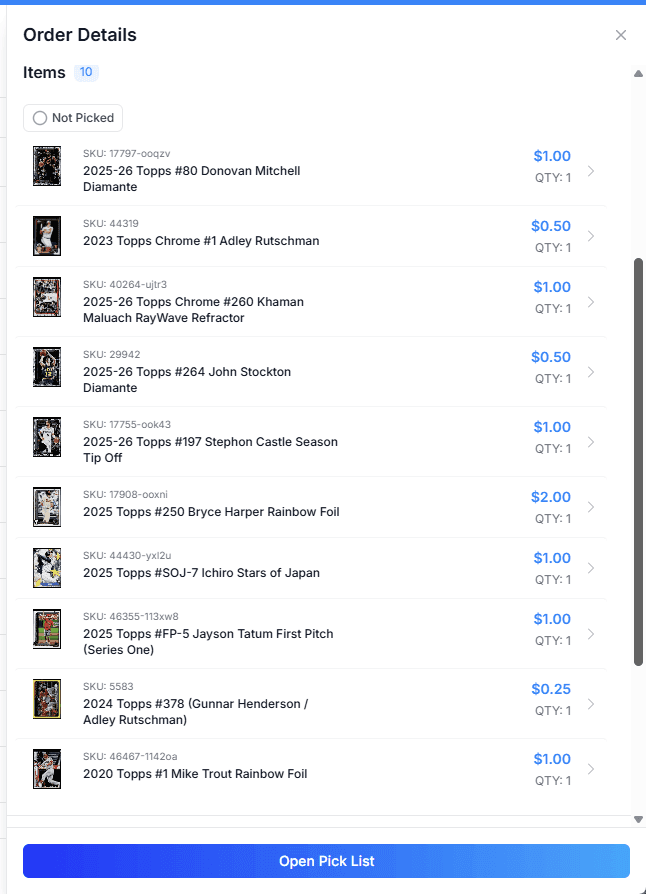
When an order comes into CDP, you can review the cards or items included in the order and connect them back to the inventory records you already manage in Card Dealer Pro.
That matters because your inventory record is where the operational details live:
Card title
Image
SKU
Marketplace
Price
Location
Instead of treating each marketplace sale as a disconnected event, Orders helps turn every sale into part of a single inventory workflow.
For dealers managing hundreds, thousands, or tens of thousands of cards, that connection is critical.
A Better Daily Operating Rhythm for Sellers
Orders is built to become part of your daily sales routine.
Open CDP, check what sold, review the orders that need attention, and move into fulfillment with more confidence.
For part-time sellers, this saves time and reduces the chance of missing something.
For full-time dealers, it creates a cleaner operating rhythm across marketplaces.
For larger teams, it helps separate the work of reviewing sales, pulling cards, packing orders, and reconciling marketplace activity.
Instead of jumping from marketplace to marketplace, Orders gives you a central sales view inside the system where your inventory already lives.
Multi-Card Orders Become Easier to Understand
Single-card sales are simple. Multi-card orders are where things can get messy.
An order may include several cards from different boxes, rows, or sections. If the order is only viewed inside the marketplace, it can be harder to connect each sold item back to your internal inventory system.
Orders helps break the sale down by item so you can see the individual cards included in the order.
That makes it easier to confirm exactly what sold, understand the value of the order, and prepare for fulfillment.
When combined with accurate locations in CDP, Orders becomes even more useful because it helps bridge the gap between:
“This card sold.”
and
“This is where I need to go pull it.”
Less Marketplace Switching, Fewer Mistakes
Every marketplace has its own dashboard, status language, order format, and fulfillment flow.
That creates unnecessary friction.
Orders helps normalize that experience by giving you a consistent place to review order activity from connected marketplaces.
The goal is not to replace every marketplace tool. Some actions, like purchasing shipping labels, issuing refunds, or completing marketplace-specific fulfillment steps, will still happen in the original marketplace.
The value of Orders is that CDP becomes your central command center for understanding what sold and what needs to happen next.
That reduces tab switching, improves visibility, and lowers the odds that an order gets overlooked.
Orders Makes Pick List More Powerful
Orders also strengthens the fulfillment side of CDP.
Once sales are visible inside CDP, they can connect to the Pick List workflow. That means sold cards can be organized for pulling, packing, and shipping.
This is especially valuable for sellers who use locations consistently.
A simple location system like Box, Row, and Section can make a major difference. As your inventory grows, you can add more detail with Shelf, Cabinet, or other internal location fields.
The better your inventory locations are, the more useful Orders and Pick List become together.
Orders shows what sold. Pick List helps you pull it efficiently.
Better Visibility Into Sales Performance
Orders also gives dealers a better way to understand sales activity across channels.
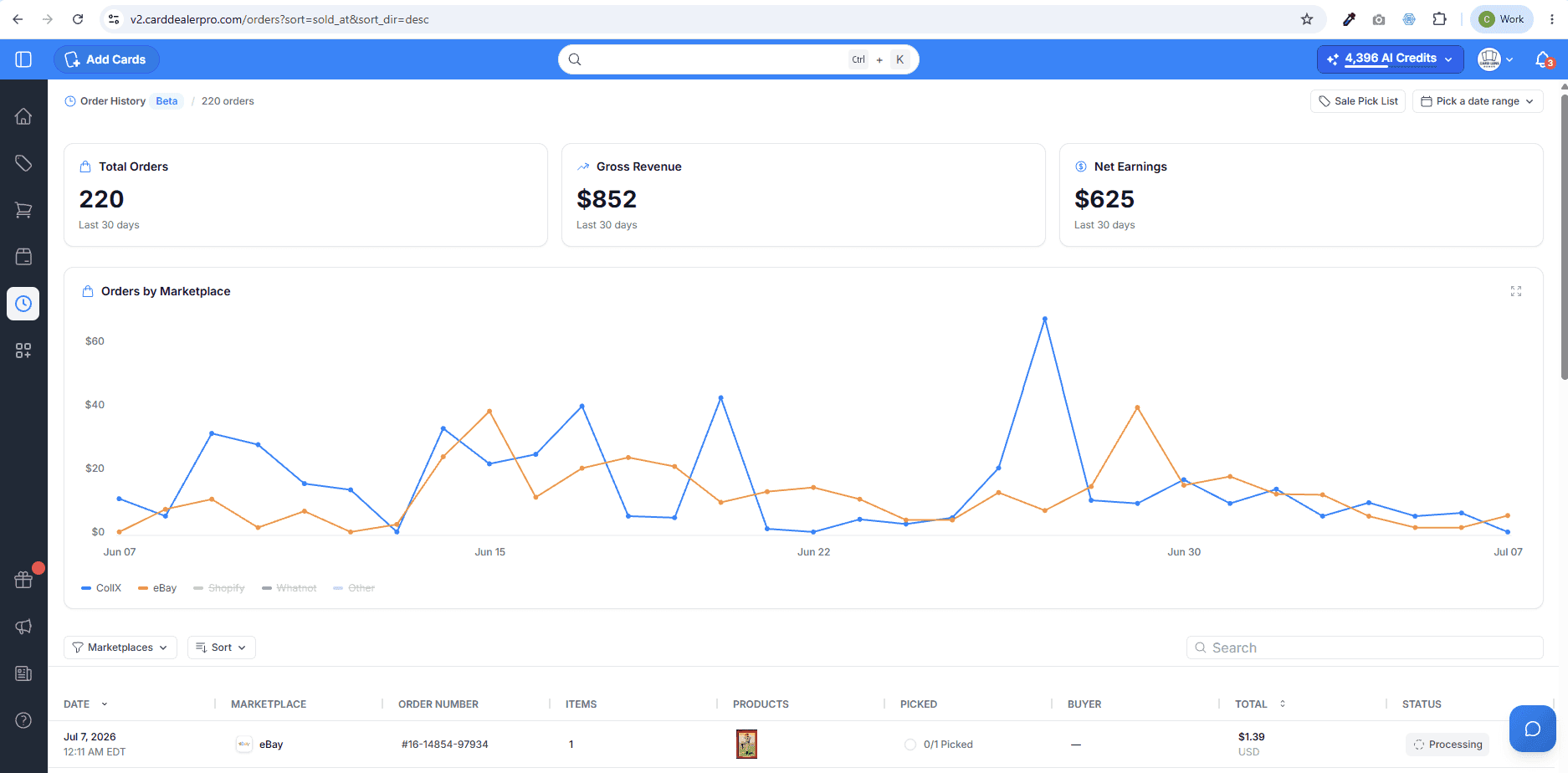
Instead of checking one marketplace at a time, sellers can use CDP to see recent order volume, quantity sold, gross revenue, and earnings information when available.
That helps answer bigger business questions:
Which marketplace is producing the most sales?
How many cards sold this week?
Are recent listings starting to move?
Which orders still need attention?
How much revenue came through a specific channel?
For dealers trying to grow, this kind of visibility matters.
You cannot improve what you cannot see.
Built for the Way Modern Dealers Sell
Card Dealer Pro is built around a simple idea: card sellers need one system to manage inventory, listings, sales, and fulfillment across channels.
Orders is another step toward that vision.
The modern card business is no longer just about listing cards. It is about managing a multi-channel operation.
Dealers need to know:
What they own
Where it is listed
What sold
Where it sold
What needs to be shipped
Orders helps bring that workflow together.
It gives sellers a clearer picture of their sales, connects marketplace activity back to inventory, and makes CDP a stronger operating system for card dealers.
Why This Matters
When sales are spread across multiple marketplaces, it is easy for the work to become fragmented.
Orders helps solve that by giving sellers:
A central view of recent sales
A clearer connection between orders and inventory
A faster way to understand what needs attention
A stronger bridge into Pick List and fulfillment
Better visibility across marketplaces
Less time spent jumping between platforms
For sellers who want to grow, that operational clarity is a competitive advantage.
The more cards you list, the more important it becomes to know exactly what sold, where it sold, and what needs to happen next.
With Orders in Card Dealer Pro, that information is easier to find and easier to act on.
Start Using Orders in CDP
Orders is now available inside Card Dealer Pro for supported connected marketplaces.
If you sell across multiple channels, make Orders part of your daily workflow. It can help you review sales faster, fulfill with more confidence, and keep your card business organized as you grow.
Log in to Card Dealer Pro and open Orders to see your recent sales in one place.