Inventory Management is HERE
Alex Lynn
Game changing brand new feature available now in Card Dealer Pro

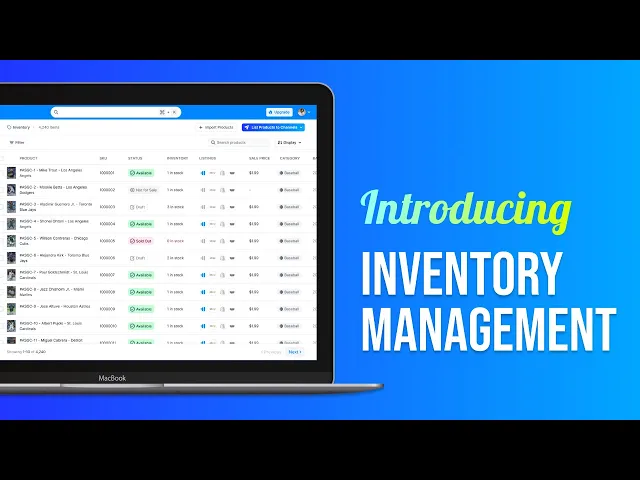
Inventory Management is here!
HUGE NEWS!! We’re excited to announce that Inventory Management and Import is now live for all Card Dealer Pro users!
You’ll now see two new tabs:
🔹 Inventory – Your complete card catalog, listed or not. From here, you can edit individual cards, list them to marketplaces (like eBay, CollX, and soon Whatnot), and keep everything organized in one place. Most importantly when a card sells on one channel, we’ll remove it from the others to prevent overselling. All new batches in CDP will now show up under inventory.
And now, with Import, which is a button under the Inventory Tab you can:
✅ Pull in your existing listings from eBay and CollX
✅ List those cards to additional marketplaces
✅ Rely on CDP to manage your inventory — when a card sells on one channel, we’ll remove it from the others to prevent overselling
Note: Due to large volumes, imports may take a bit of time to fully populate — but you can continue using the app normally while it processes in the background.
🔹 Listings – Your marketplace-specific control center. This is where you can view, update, or delist active listings on each platform. Want to end an eBay listing or update the title of a CollX card? Do it directly from here — all in one streamlined view.
We’ve built this to help high-volume sellers save time, avoid overselling, and scale efficiently — and we’re just getting started. Stay tuned for many enhancements to inventory management and maybe even a new channel to list to as soon as next week !! Have feedback or need help getting set up? Just reply to this email or use the Feedback widget in the app. Our team’s here to support you.
Check out our overview video on Inventory Management to Get Started: